 DiviDox
Delete your account and data
From the app
- Open DiviDox and go to Settings.
- Choose Delete account and confirm.
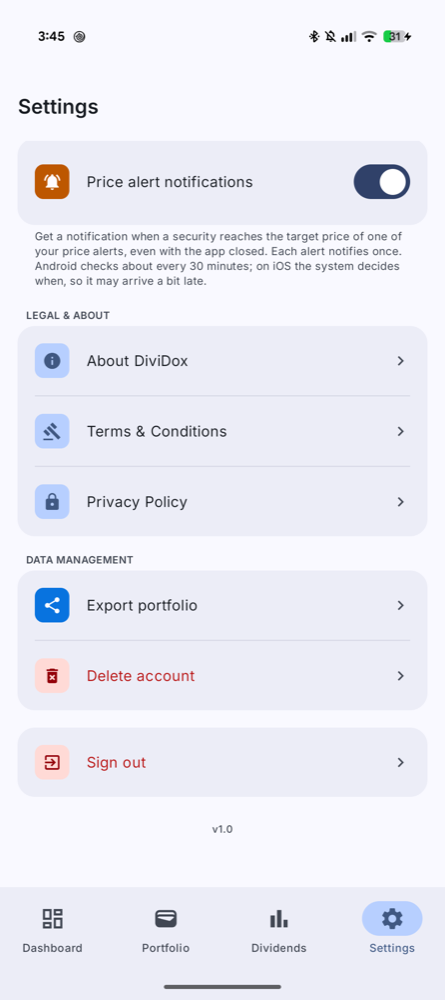
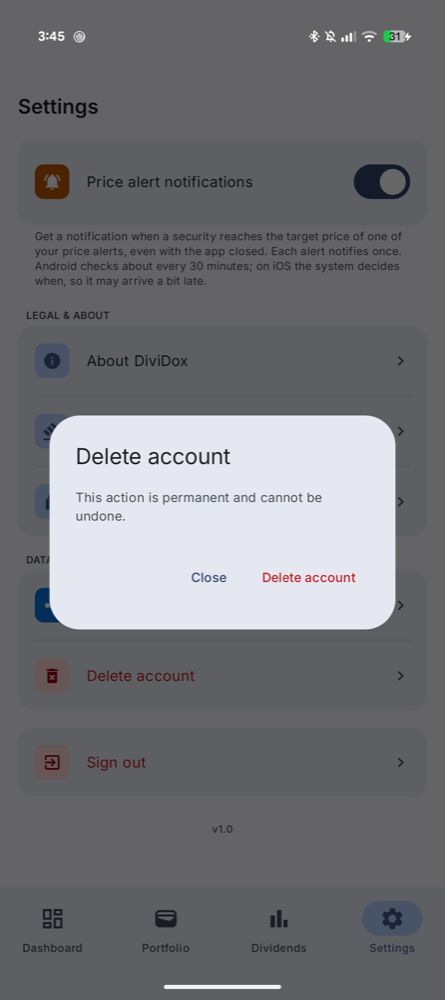
Your account, portfolio, transactions, favourites, price alerts and preferences are permanently deleted. This cannot be undone. You can export your portfolio as CSV from Settings before deleting.
Without access to the app
Email hello@dividox.app from the address linked to your account with the subject "Delete my account". We will delete your data and confirm by email within 30 days.
What is deleted
- Sign-in account (Firebase Authentication).
- Portfolio, transactions, favourites, alerts and settings (Cloud Firestore).
Backups are purged within a reasonable period after deletion. See our Privacy Policy for details.